
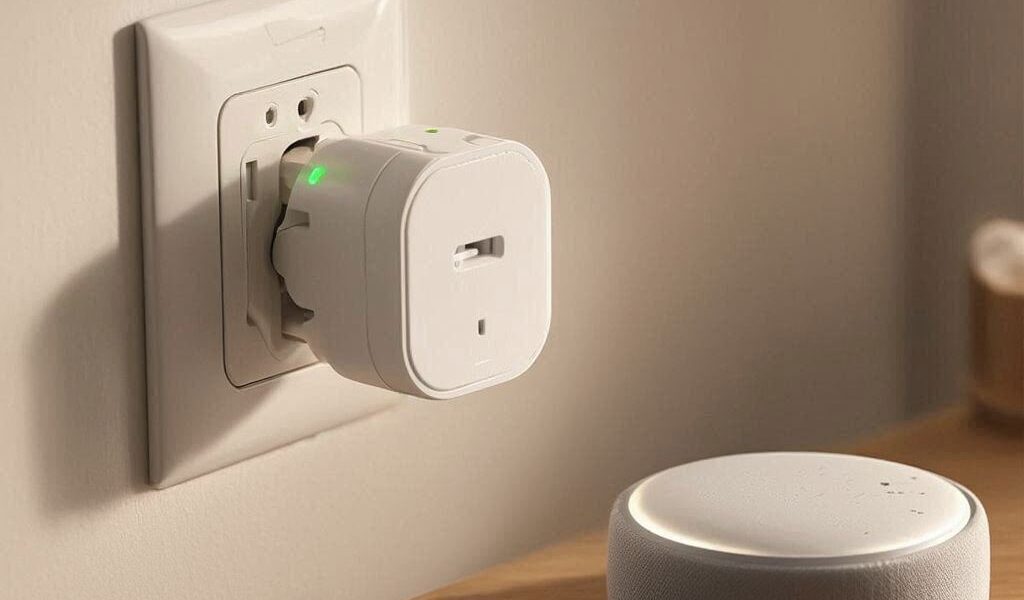
Best Smart Plugs for Alexa — Stop Wasting Money on the Wrong One (2026)
Looking for the best smart plugs for Alexa that actually stay connected?
Already having Alexa connection issues? Check our troubleshooting guide first.
You buy a smart plug. You spend 25 minutes trying to get it to show up in the Alexa app. It finally connects. Three days later, Alexa says “device not responding” and you’re back to square one.
This is the most common smart home frustration — and almost always, it comes down to buying the wrong plug for the wrong reasons. Price. Packaging. A bunch of five-star reviews that don’t mention the setup nightmare.
The best smart plugs for Alexa aren’t necessarily the most expensive ones. But they do have to meet a specific set of requirements — stable WiFi connection, a reliable Alexa skill, and an app that doesn’t make you want to throw your phone across the room. This list covers exactly those plugs, ranked honestly.
What Actually Makes a Smart Plug Work With Alexa
Not every plug that says “works with Alexa” on the box delivers on that promise consistently. Here’s what separates the reliable ones from the frustrating ones.
A stable Alexa skill. The plug connects to Alexa through a linked skill — Kasa, Meross, Wemo, and so on. A poorly maintained skill drops the connection after app updates or server changes. The plugs on this list all have skills that are actively maintained and widely tested.
2.4 GHz WiFi support. Every smart plug on the market runs on the 2.4 GHz band — not 5 GHz. If your router broadcasts both bands under the same name, your plug might try to grab the wrong one and fail to connect. It’s one of the most common setup problems and one of the easiest to fix. We cover this in more detail in our [smart plug troubleshooting guide](INTERNAL LINK: smart plug troubleshooting article).
Local control vs cloud-only. Most WiFi plugs route every command through the manufacturer’s cloud servers. That works fine when everything is running smoothly — but when their servers have an outage, your plug goes dark. A few plugs on this list handle this better than others, and we’ll call it out.
A decent companion app. You’ll use the app for setup, scheduling, and adjustments. A confusing app makes everything harder. The best plugs pair a clean app with the Alexa skill so you have two reliable ways to control your devices.
What Most People Get Wrong Before Buying
The most common mistake: sorting by price and picking the cheapest option.
At $8–$10, generic no-brand smart plugs look identical to the real thing. They often connect fine on day one. But firmware updates stop coming, the Alexa skill gets abandoned, and within six months you have a dumb plug with a blinking light.
The second mistake is buying a plug without checking which ecosystem it plays in. Some plugs are designed primarily for Google Home. They technically support Alexa — but the skill is barebones, voice commands are limited, and routine integration is unreliable. If Alexa is your main assistant, buy something built with Alexa in mind.
Now — These are the best smart plugs for Alexa we tested in 2026 that worth your money.
1. Amazon Smart Plug — Best for Pure Alexa Households
Works With: Alexa only | Hub Required: No | Energy Monitoring: No
If your home runs entirely on Alexa and you want the most friction-free setup possible, Amazon’s own plug is hard to beat.
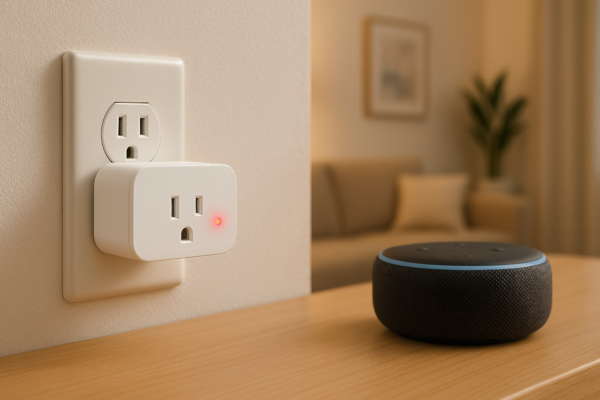
It’s designed from the ground up for Alexa integration — deeper than anything a third-party manufacturer can offer. Setup runs entirely through the Alexa app. No separate app download, no account creation, no extra steps. Plug it in, open Alexa, tap Add Device, and you’re done in under two minutes.
Alexa routines work seamlessly with it. Voice commands respond fast. And because Amazon controls both the plug and the assistant, updates to one rarely break the other — which is a real problem with some third-party skills.
The honest trade-off: it only works with Alexa. No Google Home, no Apple HomeKit. And there’s no energy monitoring — it’s a straightforward on/off device. For most people in a pure Alexa household, neither of those things matters. But if you ever switch ecosystems, this plug doesn’t come with you.
Pros: Fastest Alexa setup available, native integration, no extra app needed Cons: Alexa-only, no energy monitoring, no cross-platform flexibility
[AMAZON LINK — Amazon Smart Plug]
2. TP-Link Kasa EP25 — Best Overall for Most People
Works With: Alexa + Google Home | Hub Required: No | Energy Monitoring: Yes
The Kasa EP25 is the plug I’d recommend to most people — and the reasoning is simple. It does everything the Amazon plug does for Alexa, adds Google Home compatibility, throws in real-time energy monitoring, and costs about the same.
The energy monitoring feature is the standout. It shows you exactly how much power any device is drawing at any moment. That matters more than people expect — it’s how you find out your old space heater is quietly adding $30 a month to your electricity bill, or that a device you thought was off is still drawing standby power.
Setup through the Kasa app takes about three minutes and the Alexa skill is one of the most stable in the category. TP-Link updates the firmware regularly, which keeps the Alexa connection reliable long after cheaper alternatives have been abandoned.
The plug itself is compact — it doesn’t block the outlet below it, which sounds minor until you’ve had a bulky plug make half a wall socket useless.
Pros: Energy monitoring, Alexa + Google Home, compact design, excellent app Cons: Requires the Kasa app alongside Alexa (two apps instead of one)
[AMAZON LINK — Kasa Smart Plug EP25]
3. Meross Smart Plug — Best Budget Pick With Broad Compatibility
Works With: Alexa, Google Home, Apple HomeKit, SmartThings | Hub Required: No | Energy Monitoring: Yes (select models)
Meross doesn’t get talked about enough. It supports more smart home platforms than any other plug on this list — Alexa, Google Home, HomeKit, and SmartThings — at a price that undercuts most competitors.
If you have a mix of Apple and Amazon devices in your home, Meross is the only plug here that talks to both Siri and Alexa without needing two different plugs. That cross-platform support is rare at this price point and genuinely useful for households that aren’t locked into one ecosystem.
The Alexa skill works reliably, setup is guided and clear through the Meross app, and energy monitoring is available on the slightly higher-spec models without a big price jump.
The one caveat: Meross is a smaller brand than Kasa or Amazon. The app is solid but not quite as polished, and customer support is slower than TP-Link’s. For a plug you’re using daily on a critical device, keep that in mind. For secondary devices — a lamp, a fan, a holiday decoration — Meross is excellent value.
Pros: Widest platform compatibility, HomeKit support, energy monitoring, competitive price Cons: Smaller brand, app slightly less refined, slower support
[AMAZON LINK — Meross Smart Plug]
4. Wemo Mini Smart Plug — Best for Small Spaces and Apple Users
Works With: Alexa, Google Home, Apple HomeKit | Hub Required: No | Energy Monitoring: No
The Wemo Mini earns its name. It’s one of the physically smallest smart plugs available — and in homes with older outlets, outlet strips, or furniture blocking socket access, that small footprint makes a real practical difference.
Beyond size, Wemo brings HomeKit support and a long track record of reliable Alexa integration. Belkin has been making smart home products for over a decade and the Wemo skill is one of the most stable and consistently updated in the Alexa ecosystem. That matters for long-term reliability more than most spec comparisons do.
Setup is clean and beginner-friendly through the Wemo app. Alexa routines work without issues, scheduling is reliable, and the app hasn’t had the kind of abandonment problem you see with cheaper brands.
The price is the honest trade-off. At $25, you’re paying more per plug than Kasa or Meross for a device without energy monitoring. What you’re buying is size, HomeKit compatibility, and Belkin’s reliability track record.
Pros: Smallest footprint, HomeKit support, proven long-term reliability, clean app Cons: Most expensive on list, no energy monitoring
[AMAZON LINK — Wemo Mini Smart Plug]
5. Govee Smart Plug — Best Multipack Value
Works With: Alexa + Google Home | Hub Required: No | Energy Monitoring: Yes (select models)
If you want to make multiple devices smart at once without spending much, Govee’s multipack pricing is hard to argue with. At $15 for a pack, you can cover four or five devices for the price of two Wemo plugs.
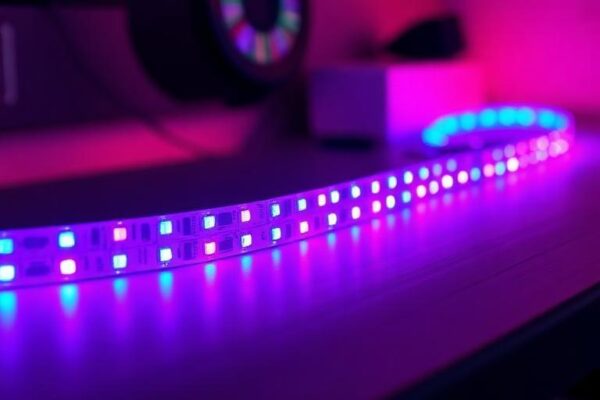
The Govee Home app has improved considerably and the Alexa skill connects without issues. If you’re already using [Govee LED strip lights](INTERNAL LINK: smart bulbs article) or other Govee devices in your home, the plugs slot into the same app and the same Alexa skill — which simplifies management.
The honest caveat is the same one that applies to Govee’s whole lineup: cloud dependency. Govee routes all commands through their servers, and they’ve had occasional brief outages in the past. For primary devices you depend on daily, Kasa is more consistent. For secondary devices — lamps, fans, a TV power strip — Govee is genuinely good value.
Pros: Best multipack value, integrates with Govee ecosystem, energy monitoring on some models Cons: Cloud-dependent, occasional server outages, not ideal for critical devices
[AMAZON LINK — Govee Smart Plug]
Full Comparison Table: Best Smart Plugs for Alexa
| Smart Plug | Alexa | Other Platforms | Energy Monitoring | Setup Ease | Best For | |
|---|---|---|---|---|---|---|
| Amazon Smart Plug | Native | None | No | ⭐⭐⭐⭐⭐ | Pure Alexa households | |
| Kasa EP25 | Yes | Google Home | Yes | ⭐⭐⭐⭐⭐ | Most people — best all-rounder | |
| Meross Smart Plug | Yes | Google, HomeKit, ST | Yes (select) | ⭐⭐⭐⭐ | Mixed-platform homes | |
| Wemo Mini | Yes | Google, HomeKit | No | ⭐⭐⭐⭐ | Small spaces, Apple users | |
| Govee Smart Plug | Yes | Google Home | Yes (select) | ⭐⭐⭐⭐ | Budget multipacks |
Which One Should You Actually Buy
Buy the Amazon Smart Plug if your home is Alexa-only and you want the absolute easiest setup. No extra apps, no extra accounts — just plug in and speak.
Buy the Kasa EP25 if you want the best all-around smart plug for Alexa. Energy monitoring, compact design, reliable skill, works with Google Home too. This is the default recommendation for most households.
Buy the Meross if you have both Apple and Amazon devices and need one plug that talks to everything. The HomeKit + Alexa combination at this price is unique.
Buy the Wemo Mini if outlet space is physically tight or you want the most proven long-term reliability. The size advantage is real, and Belkin’s track record speaks for itself.
Buy Govee if you want to make four or five devices smart at once on a budget and you’re already in the Govee ecosystem. Just keep it on secondary devices rather than anything critical.
Any of these best smart plugs for Alexa will work great in your home.And if your current smart plug keeps dropping Alexa connection no matter what you do — before replacing it, run through the [7 fixes in our smart plug troubleshooting guide]. The problem is often the network, not the plug.
FAQ — Best Smart Plugs for Alexa
Q: Do smart plugs need 2.4 GHz WiFi to work with Alexa? Yes — every smart plug on this list (and the market in general) runs on the 2.4 GHz WiFi band only. They don’t support 5 GHz. If your router broadcasts both bands under the same network name, your plug can fail to connect or drop off repeatedly because it’s trying to grab the wrong signal. The fix is to either separate your bands into two different network names, or temporarily disable 5 GHz during setup. Once connected to 2.4 GHz, the plug stays there.
Q: Can I use any smart plug with Alexa, or does it have to say “works with Alexa”? Technically any WiFi plug with an Alexa skill can work with Alexa. But “works with Alexa” certification means the manufacturer has gone through Amazon’s testing process and the integration meets a minimum standard. Non-certified plugs can work — but skill quality, update frequency, and long-term support are less guaranteed. Stick to certified plugs for anything you plan to use daily.
Q: Why does my smart plug keep dropping from Alexa after a few days? This is almost always a network issue rather than a faulty plug. The most common causes are: your router changing the plug’s IP address after a restart (fix with static IP assignment in router settings), the 2.4/5 GHz band confusion described above, or the Alexa skill needing a refresh. Full step-by-step fixes are in our [smart plug troubleshooting guide](INTERNAL LINK: smart plug troubleshooting article).
Q: Is it safe to leave a smart plug on all the time? Yes — all five plugs on this list are UL-listed for US safety standards, meaning they’ve passed independent electrical safety testing. The key is staying within the plug’s wattage rating, which is usually printed on the side (typically 1800W–2300W). High-draw devices like space heaters and air conditioners should always be matched to a plug rated for their wattage. For normal household devices — lamps, fans, phone chargers, coffee makers — there’s no safety concern with leaving the plug powered continuously.
Which plug did you go with — or are you still on the fence between two of them? Drop it in the comments. I read every one.