
Best Smart Plugs for Beginners — No Hub Required in 2026
You bought a smart plug, downloaded an app, and 40 minutes later you’re staring at a blinking light wondering where your evening went.
Sound familiar? You’re not alone. Smart plugs are supposed to be the easiest entry point into a smart home — and they genuinely are, when you pick the right one. The wrong one turns a five-minute setup into a WiFi troubleshooting session you didn’t sign up for.
The good news: the four plugs on this list work straight out of the box, connect to Alexa without any extra hardware, and don’t require a hub, a bridge, or a degree in networking. If you’re just getting started with smart home devices, this is exactly where to begin.
Why Your First Smart Plug Choice Actually Matters
Most beginners assume all smart plugs are basically the same. They’re not.
Some plugs need a dedicated hub to function. Others only work with one voice assistant. Some have apps so confusing that you’ll give up before the device even connects. And a handful — usually the ultra-cheap ones — just drop off your WiFi every few days for no clear reason.
A bad first experience with a smart plug doesn’t just mean a returned product. It puts people off smart home tech entirely. That’s a shame, because when the setup is smooth, these things genuinely change how you interact with your home.
The plugs below were chosen because they work reliably for people who have never touched a smart home device before — no technical background needed.
What Most Beginners Get Wrong Before They Even Start
The most common mistake: buying a plug before checking which voice assistant you’re using.
If you have an Amazon Echo, you want a plug with rock-solid Alexa support. If you’re on Google Home, the priority list shifts slightly. For beginners in the US, Alexa is by far the most common starting point — and every plug on this list supports it natively.
The second mistake is underestimating app quality. The plug is only as easy as its companion app. A confusing setup flow at 9 PM will kill your enthusiasm fast. I’ve prioritized plugs where the app guides you through setup clearly, step by step, in plain English.
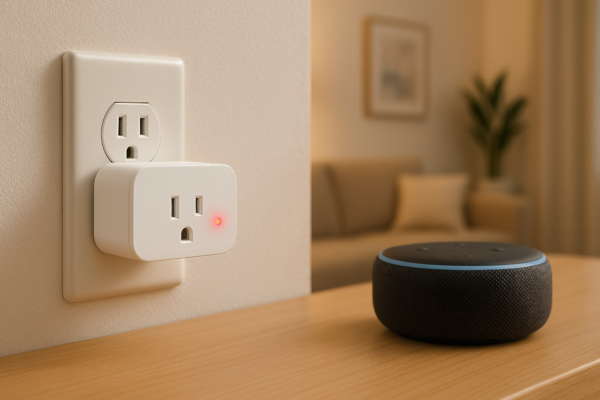
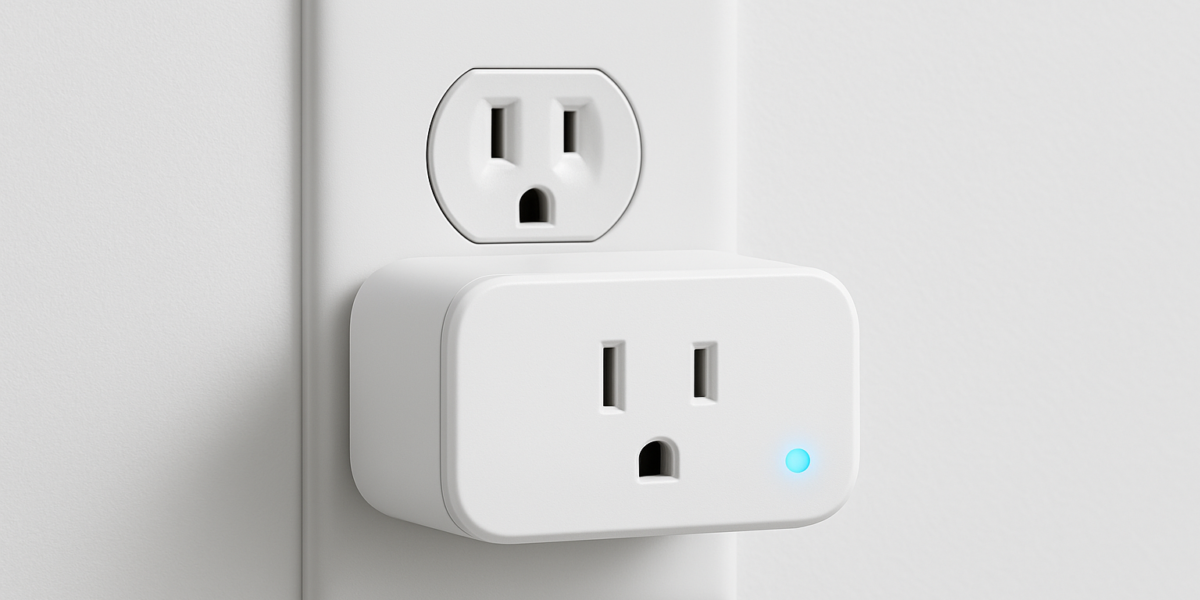
Third — and this one trips people up — make sure the plug fits your outlet without blocking the second socket. Some plugs are bulky enough to make the outlet below completely unusable. Check the physical dimensions before buying, especially if you’re using a power strip.
Now — the picks.
1. Kasa Smart Plug EP25 — Best Overall for Beginners
Price: ~$14–$17 | Works With: Alexa, Google Home | Hub Required: No | Energy Monitoring: Yes
The Kasa EP25 is the plug I recommend to anyone who asks me where to start — and I’ve never had someone come back disappointed.
Setup takes about three minutes. Download the Kasa app, plug it in, follow the on-screen steps, and you’re done. No account hoops, no confusing pairing modes. It just connects.
What makes it genuinely stand out for beginners is the energy monitoring feature. Most plugs at this price just turn things on and off. The EP25 shows you exactly how much power a device is drawing in real time — so you can finally see whether that old lamp or space heater is quietly inflating your electricity bill. That’s useful information, not just a feature to list.
The plug itself is compact enough that it doesn’t block the outlet below it. Alexa integration is clean — just say “Alexa, discover devices” after setup and it finds the plug instantly. Scheduling, automations, and away mode all work reliably.
TP-Link’s app (Kasa) is consistently one of the best-rated smart home apps in the category. That matters more than people realize.
2. Amazon Smart Plug — Best for Pure Alexa Households
Price: ~$15–$20 | Works With: Alexa | Hub Required: No | Energy Monitoring: No
If your home already runs on Alexa and you just want something that works without thinking about it, this is your plug.
Amazon designed this to integrate with Alexa at a deeper level than third-party plugs do. Setup is genuinely the easiest on this list — if you’re already in the Alexa app, you can set it up entirely through there without downloading anything new. Plug it in, open Alexa, tap “Add Device,” and it’s done. I’ve seen complete beginners get this running in under two minutes.
The trade-off is simple: it only works with Alexa. No Google Home, no Apple HomeKit. If you ever switch ecosystems, this plug doesn’t come with you. For most US beginners who are firmly in the Amazon world though, that’s not a real concern.
There’s also no energy monitoring — it’s a straightforward on/off device. But for a first smart plug where the goal is just learning how this all works? That’s completely fine.
Alexa routines work perfectly with it. Set it to turn on a lamp when you get home, or turn off at midnight automatically — all through the Alexa app you already have.
3. Wemo Mini Smart Plug — Best for Small Spaces
Price: ~$19–$24 | Works With: Alexa, Google Home, Apple HomeKit | Hub Required: No | Energy Monitoring: No
The Wemo Mini earns its name. It’s one of the smallest smart plugs available, and that physical footprint matters more than people expect — especially in older US homes where outlets are placed awkwardly or close together.
Beyond size, the Wemo Mini stands out because it supports Apple HomeKit alongside Alexa and Google Home. That makes it the only plug on this list that works seamlessly if you’re in an Apple household. If you use Siri on your iPhone and want voice control without Alexa, this is your pick.
Setup is smooth through the Wemo app — not quite as instant as the Amazon plug, but well-guided and beginner-friendly. The app is clean, the scheduling works reliably, and Wemo has been making smart home products long enough that the software is genuinely polished.
The price is slightly higher than the others, which is the honest trade-off for the compact size and HomeKit compatibility. If those two things don’t apply to your situation, the Kasa EP25 is better value.
4. Govee Smart Plug — Best Budget Pick
Price: ~$8–$12 (often sold in 4-packs) | Works With: Alexa, Google Home | Hub Required: No | Energy Monitoring: Yes (select models)
Govee has built a reputation for packing solid features into affordable hardware — and their smart plugs follow that same pattern.
At $8–$12, especially when bought in a multipack, Govee gives you more coverage for less money than anything else on this list. If you want to make four or five devices smart at once without spending $80, this is how you do it.
The Govee Home app has improved a lot in the past year. Setup is clear, Alexa integration works without friction, and the scheduling features cover everything a beginner needs. Some models include basic energy monitoring too, which punches well above the price point.
The honest caveat: Govee’s cloud servers have had occasional outages in the past that briefly take plugs offline. It doesn’t happen often, and it always resolves quickly — but it’s worth knowing. For primary devices you rely on daily, the Kasa EP25 is more consistent. For secondary devices — a fan, a lamp, a holiday decoration — Govee is excellent value.
Full Comparison Table: Best Smart Plugs for Beginners (No Hub Required)
| Smart Plug | Price | Works With | Energy Monitoring | Setup Ease | Best For |
|---|---|---|---|---|---|
| Kasa EP25 | ~$14–$17 | Alexa, Google Home | Yes | ⭐⭐⭐⭐⭐ | Best all-rounder for beginners |
| Amazon Smart Plug | ~$15–$20 | Alexa only | No | ⭐⭐⭐⭐⭐ | Pure Alexa households |
| Wemo Mini | ~$19–$24 | Alexa, Google, HomeKit | No | ⭐⭐⭐⭐ | Apple HomeKit users, small spaces |
| Govee Smart Plug | ~$8–$12 | Alexa, Google Home | Yes (select) | ⭐⭐⭐⭐ | Budget buys, multipacks |
3 Things to Do After Setting Up Your First Smart Plug
Once your plug is connected, here’s how to actually get value out of it — because most beginners set it up and then just… manually turn it on and off through the app, which defeats the point.
Set up a schedule immediately. Even a simple one — turn on a lamp at sunset, turn off at 11 PM. This is where smart plugs start feeling genuinely useful, not just a novelty.
Create an Alexa routine tied to the plug. Try “Alexa, good morning” triggering your coffee maker plug. That kind of automation makes smart home tech click for people in a way that manual app control never does.
Enable away mode if your plug has it. Kasa and Wemo both offer this — the plug randomly turns on and off while you’re out to make the house look occupied. Surprisingly useful, and takes 30 seconds to activate.
Final Verdict — Which Smart Plug Should You Buy First?
Buy the Kasa EP25 if you want the most reliable, feature-rich beginner plug at a fair price. The energy monitoring is genuinely useful, the app is excellent, and it works with both Alexa and Google Home. This is the default recommendation for most US homeowners just starting out.
Buy the Amazon Smart Plug if you live entirely in the Alexa ecosystem and want the absolute easiest setup possible. No second app, no extra steps. Just plug in and speak.
Buy the Wemo Mini if space is tight around your outlets or you’re in an Apple household that wants HomeKit support. The premium is small and the size advantage is real.
Buy Govee if you want to make multiple devices smart at once without spending much. Grab a four-pack, wire up a few rooms, and get comfortable with how smart plugs work before upgrading.
Whatever you pick — your first smart plug is just the beginning. Once you see how simple it actually is to control a device with your voice or a scheduled routine, you’ll wonder why you waited.
FAQ — Smart Plugs for Beginners
Q: Do smart plugs work without WiFi? No — smart plugs need a WiFi connection to receive commands from apps and voice assistants. However, any device plugged into them will still receive power as normal even if WiFi drops. You just lose remote control temporarily until the connection restores.
Q: Will a smart plug work with any device I plug into it? Almost anything with a standard plug — lamps, fans, coffee makers, phone chargers, humidifiers, space heaters. The main exception is devices that don’t power back on automatically after losing power, like some air conditioners or desktop computers that require a manual button press to restart. Always check your device’s behavior first.
Q: Do I need to leave my phone at home for the smart plug to work? No. Once you set up schedules or Alexa routines, those run automatically without your phone nearby. Your phone is only needed when you want to manually control the plug remotely or change settings.
Q: Is it safe to leave a smart plug on 24/7? Yes — all four plugs on this list are UL-listed, meaning they’ve passed US electrical safety standards. That said, don’t exceed the wattage rating printed on the plug (usually 1800W–2300W). High-draw devices like space heaters should be matched carefully to the plug’s rating.
Just set up your first smart plug? Drop a comment below — which one did you go with and how did the setup go? I read every reply.